
A printer that won't print, an email that won't send, a program that crashes on open — most computer problems can be fixed from a distance in less time than it takes to drive over. That is what remote support is for. It is also why scammers love it: the same tools that let a technician help you can let a criminal into your bank account. The difference is entirely in how the session starts and who is in control.
In short
- A real session starts with you: you call, you open the tool, you read out the ID and you accept.
- Scammers start with them: an unexpected call, a pop-up with a phone number or a sponsored search result.
- You can end any session by closing the app. If someone pressures you, hang up and call a number you already trust.
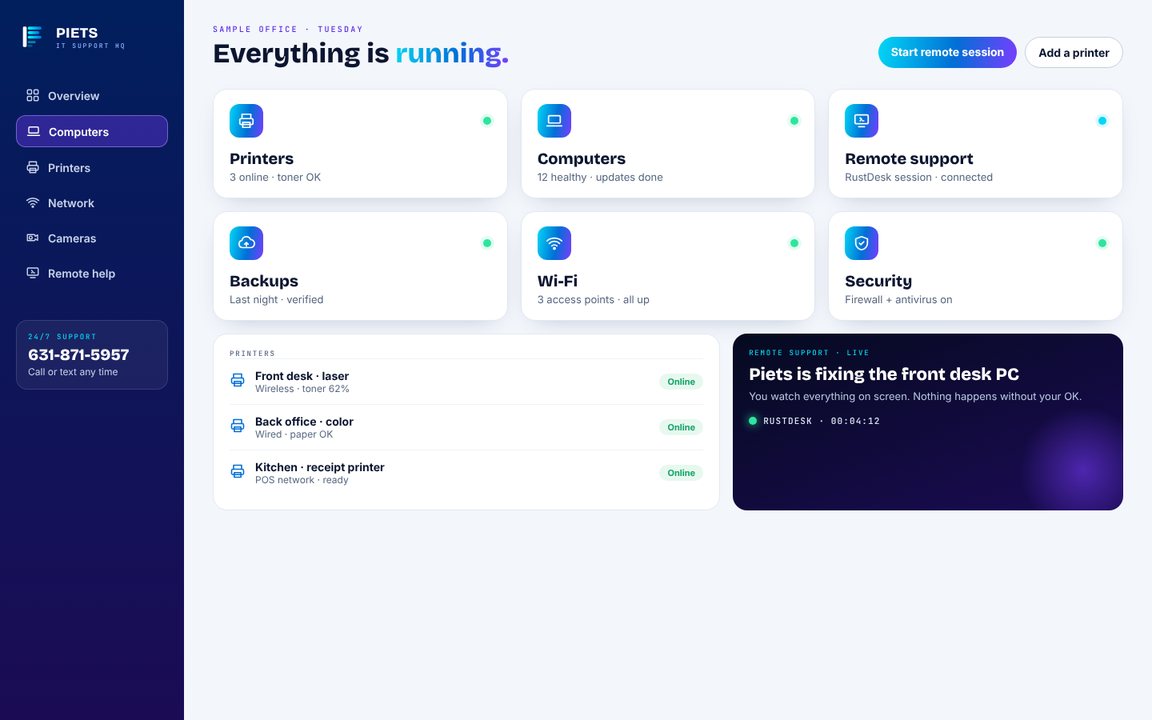
What remote support can fix, and what it can't
Remote works well for software: slow computers, pop-ups and malware cleanup, email and calendar setup, printers and scanners, updates, program installs and configuration. It cannot replace a failing hard drive, fix a dead power supply or pull a cable through the wall. A good technician tells you within a few minutes which kind of problem you have.
How a legitimate session works
Here is how ours runs, start to finish. Any honest provider's should look much the same:
- You reach out. You call or text a number you already know — from our invoice, our business card or this website.
- You open the tool. We use a free remote support tool. It shows an ID on your own screen.
- You read us the ID. Without it we cannot find your computer, and we cannot look it up or guess it.
- You accept the connection. Nothing opens until you click accept on your own monitor.
- You watch. Everything happens on your screen in front of you.
- You end it. Close the app and the session is over, with nothing left running and no way back in.
Our remote support page walks through the whole session on screen, so you can see it before you ever need it.
How the scam works
The FBI's warnings about tech-support fraud describe the same pattern again and again:
- Contact you didn't ask for. A phone call or email about a virus, an expiring warranty, a refund or a hacked account. The FBI is clear that legitimate companies do not start unsolicited contact like this.
- A pop-up with a phone number. A loud, scary screen that says your computer is infected and to call now.
- A fake number in search results. Scammers pay to appear at the top of searches for a company's support line.
- Urgency. Everything must happen right now, before you have time to think or ask someone.
- A request for remote access to "fix" the problem — followed, sooner or later, by a request for money.
The red flags, in one list
- They called you first
- A pop-up told you to call a number
- They want to be paid in gift cards, wire or crypto
- They ask you to log into your bank "to check"
- They tell you not to hang up or not to tell anyone
- They get angry or rushed when you hesitate
Any one of those is enough. Hang up, close the browser, and call a number you already trust.
A pop-up just took over my screen. Now what?
Do not call the number on it. Close the browser; if it won't close, shut the computer down, wait a few minutes and turn it back on. Most of these pop-ups are just a web page and disappear on restart. If it comes back, call us and we will clean it up.
Already let someone in?
Don't panic, and move quickly:
- Disconnect the computer from the internet — unplug the cable or turn off Wi-Fi.
- Call your bank and card companies using the number on the back of your card, not one you were given.
- Change your passwords from a different device, starting with email and banking.
- Report it at ic3.gov, the FBI's internet crime complaint center.
- Have the computer checked for anything the scammer left behind before you use it for anything important.
How we do remote support
Piets Technology Solutions provides IT support and computer repair on site across Long Island, NYC and the Hudson Valley, and remotely anywhere. We never cold-call about a virus, a refund or a warranty, and we never ask you to buy gift cards. If you are not sure a call is really us, hang up and call 631-871-5957 yourself. Optional managed plans add monitoring and priority support, and no contract is required to get help.
Questions? We're here 24/7.
Common questions
Is remote computer support safe?
Yes, when you start it. A legitimate session begins with you calling a number you trust, opening the tool yourself and accepting the connection on your own screen, and it ends the moment you close the app.
Can a technician get into my computer without my permission?
Not with the way we work. We need the ID shown on your screen, and nothing opens until you accept. Closing the app ends the session.
What should I do if I gave a scammer remote access?
Disconnect from the internet, call your bank using the number on your card, change your passwords from another device, report it at ic3.gov and have the computer checked before you use it again.
Will Piets ever call me about a virus?
No. We do not cold-call about viruses, refunds or warranties. If someone claims to be us, hang up and call 631-871-5957 yourself.

Piets Technology Solutions
Low-voltage tech for homes and small businesses — cameras, Wi-Fi, cabling, POS, phones and 24/7 support across Long Island, NYC, the Hudson Valley and the Capital Region. Wi-Fi, Wires, Whatever — Piet Makes It Better