
Nobody notices the internet until it goes. Then the card terminal spins, the phones go quiet, the online-order tablet stops dinging and somebody is writing card numbers on a pad. On Long Island the cause is usually boring — a storm on the pole, a cut line down the street, a modem that picked today to die — and the fix is just as boring. A second way out, set up to take over on its own.
In short
- Most card terminals, cloud POS systems, VoIP phones and online-order tablets need the internet to work.
- Failover adds a second path, usually 4G/5G cellular, and switches to it automatically.
- The backup only helps if the modem, router and switch stay powered and the signal is tested on site.
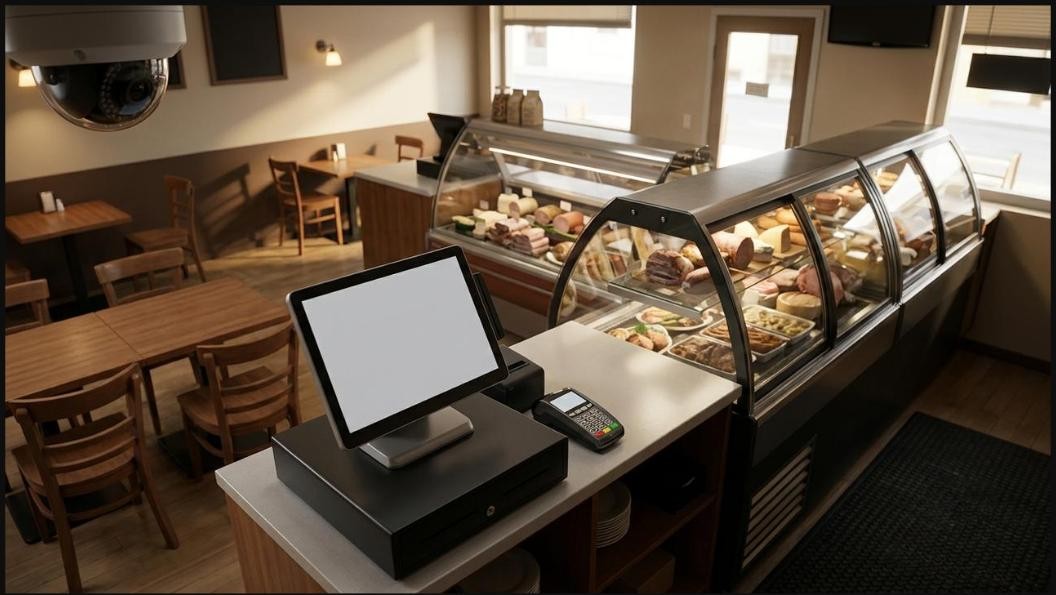
What actually stops when the line drops
Walk through your own shop and count what depends on the connection. For most small businesses it is more than people expect:
- Card payments. Most countertop terminals and every cloud POS need the internet to authorize a sale.
- Phones. If your business line is VoIP, it is an internet service. No internet, no dial tone.
- Online orders and delivery tablets. Orders keep getting placed — they just stop reaching you.
- Remote camera viewing and alerts. A recorder on site keeps recording, but you cannot see it from your phone.
- Cloud software. Scheduling, booking, accounting, email — anything that lives in a browser tab.
That list is the real cost of an outage. Not the bill from the provider — the hours of sales and calls that never happened.
How failover works, in plain words
A dual-WAN router or firewall has two doors to the outside world instead of one. Your normal wired service plugs into the first. A backup service — most often a 4G LTE or 5G cellular modem — plugs into the second. The router keeps checking that the main line can actually reach the internet, not just that a cable is plugged in. When it can't, traffic moves to the backup by itself. When the main line comes back, it moves home again.
Nobody has to be in the building, nobody has to reboot anything, and on a good setup the staff barely notices. You should get an alert either way, so you know you are running on backup.
Cellular or a second wired line?
A second wired provider sounds safer, and sometimes it is. But two services can share more than you think: the same pole, the same trench, the same street that floods. When a storm takes the pole down, it often takes both. A cellular backup leaves the building a completely different way, which is exactly what you want from a backup.
Cellular has its own catch: signal. A modem tucked in a basement network closet behind a steel door may get almost nothing. Test the signal where the equipment will actually live, try more than one carrier if you can, and plan for an outside or window-mounted antenna if the closet is a dead spot.
Decide what the backup is for
A cellular plan is usually not built to carry everything your main line does, and it does not need to. Set rules on the router so that when it fails over:
- Payments, POS and phones go first. They are small, steady traffic and they are where the money is.
- Staff devices and business software come next.
- Guest Wi-Fi, streaming, camera cloud uploads and big backups wait until the main line is back.
That keeps the backup fast for what matters and keeps a data-capped plan from being burned in an afternoon by a customer watching video in the corner.
Power is half of it
Failover does nothing if the modem, router and network switch go dark. Put them on a battery backup (a UPS) sized for the gear on it, including any switch that powers phones or cameras over the network cable. Plenty of "internet outages" are really a ten-minute power blip that rebooted everything and left a modem stuck. A battery covers the blip; failover covers the line.
A word about card terminals
Some terminals can store sales while offline and send them through when the connection returns. Useful in a pinch — but those sales are not approved at the moment you hand the customer the receipt, so a declined card shows up later, after the customer has gone. Ask your processor how your terminal handles it and what you are responsible for. If you would rather not guess, our merchant processing team will read your setup with you.
Test it before you need it
A backup nobody has tested is a hope, not a plan. Once a month, unplug the main line during a quiet hour and check: did the router switch, did a test sale go through, did the phones ring, did the alert arrive? Then plug it back in and check it switched home. Five minutes, twelve times a year.
Questions worth asking before you buy
- Does the router check real internet access, or only whether a cable is connected?
- Which devices get the backup first, and which are held back?
- Has anyone tested the cellular signal where the modem will sit?
- Are the modem, router and switch on a battery backup?
- Who gets the alert when the business is running on backup?
- What happens to my card terminal if both connections drop?
How we set it up
Piets Technology Solutions installs business routers with 4G/5G backup as part of our networking and Wi-Fi work across Long Island, New York City and the Hudson Valley. We test signal on site before anything is ordered, set the failover rules around your registers and phones, put the network gear on battery backup and show you the monthly test. If you would like someone watching it for you, our optional managed plans include monitoring and alerts. Every job is quoted to your site — there are no one-size packages.
Call or text 631-871-5957. Questions? We're here 24/7.
Common questions
Will my card machine keep working during an internet outage?
If the terminal or POS runs over your network, yes: once the router switches to the backup, payments go out over the cellular connection. A terminal with its own built-in cellular service is a separate case, so check how yours connects.
Is a 4G or 5G backup fast enough for a business?
For card payments, POS, phones and everyday business software, a good cellular signal is usually plenty. Heavy jobs like cloud camera uploads and large backups should be held back until the main line returns.
Do I need a second internet bill for failover?
Yes. The backup is its own service, usually a cellular data plan. Setting priorities on the router keeps that plan from being used up by guest Wi-Fi or streaming.
Does failover work for a home office?
Yes. The same dual-WAN setup works at home, and it is worth it if your income depends on video calls or remote access.

Piets Technology Solutions
Low-voltage tech for homes and small businesses — cameras, Wi-Fi, cabling, POS, phones and 24/7 support across Long Island, NYC, the Hudson Valley and the Capital Region. Wi-Fi, Wires, Whatever — Piet Makes It Better