
Most smart homes grow one gadget at a time. A doorbell with its own app. Bulbs with another. A thermostat with a third, a garage opener with a fourth, and a couple of subscriptions to keep the good features turned on. It works, mostly — until the internet drops, a company changes its plan, or someone in the house just wants to turn the porch light on without opening four apps.
In short
- The smart home hub we use is open-source software that runs your smart home on a small computer inside your house.
- Local control means your automations keep working when the internet is down, with no required subscription.
- Start with a few rooms that annoy you most, and get the home network right first.
That is why our smart home installs are built on a local smart home hub.
What a local smart home hub is
The smart home hub we use is free, open-source software that runs your smart home from a small computer that lives in your house — on a shelf, in the network closet, next to the router. Lights, locks, thermostats, shades, sensors and cameras from many different makers all show up in one app, and one set of automations ties them together: "when the last person leaves, lock the doors, drop the heat and turn off the lights."
Why local control matters
Many smart devices send every command out to a company's servers and back, even to turn on a light in the next room. The smart home hub keeps that conversation inside your house. That means:
- It keeps working when the internet doesn't. Your automations, switches and schedules run during an outage.
- Your data stays home. When you come and go and what your cameras see is not stored on someone else's server by default.
- No required subscription. The software is free. You choose whether to pay for any optional cloud service.
- Less risk when a company changes course. If a maker drops support for its app, a device that works locally keeps working.
One honest caveat: some devices only work through their maker's cloud. We check before anything is bought and steer you to devices that work locally.
The languages smart devices speak
You do not need to memorize these, but you will see them on the box:
- Wi-Fi — familiar and easy, but dozens of small devices can crowd a home network.
- Zigbee and Z-Wave — low-power mesh networks built for sensors, switches and locks. Each needs a small adapter connected to the smart home hub computer.
- Thread — a newer low-power mesh network for smart devices.
- Matter — a shared smart-home standard, first published in 2022 and backed by the big tech companies, that runs over Wi-Fi, Ethernet or Thread and is designed for local control.
The smart home hub speaks all of them, so you can mix brands and keep what already works.
Where to start
Don't automate the whole house on day one. Start with what annoys you most:
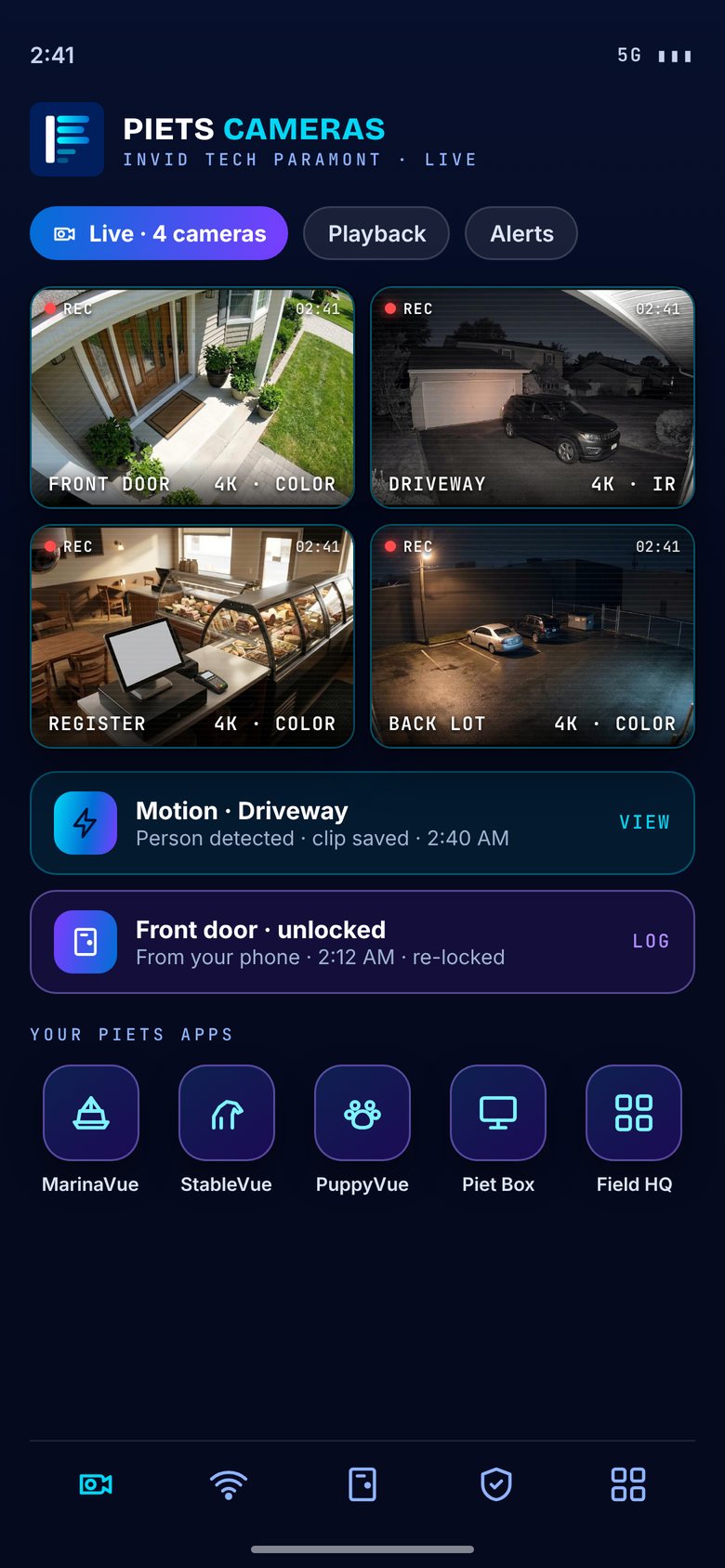
- The front door. A smart lock, the porch light and the door camera working together: the light comes on with motion after dark, and you can see who is there and let them in from the same screen.
- Lighting scenes. "Dinner," "movie" and "goodnight" on a single button, with the wall switches still working for guests.
- Heating and cooling. Schedules that follow when people are actually home.
- Water leak sensors. A small sensor by the water heater, washing machine and sump pump that shuts a valve or sends an alert. Basements flood; this one pays attention.
- The garage door. A reminder when it has been left open after dark, and a button to close it from anywhere.
Cameras in the same app
Your camera system can live inside the smart home hub, so a doorbell press pops up the front-door view on your phone or the TV, and a motion event after midnight can turn on the outside lights. With an on-site recorder, such as the InVid Tech Paramont systems we install, the video stays home too — see security cameras.
Get the network right first
A smart home is only as reliable as the network under it. Weak Wi-Fi in the back bedroom means a lock that responds late or not at all. We check coverage first, wire the things that can be wired and put access points where the signal is weak — more on that in why one router isn't enough.
Keep it simple for everyone else in the house
The best smart home is one the rest of the family never has to think about. Light switches still switch lights. Locks still take a key or a code. Guests never need an app. Automation should remove steps, not add them.
How we install it
Piets Technology Solutions plans, installs and supports smart homes across Long Island, NYC and the Hudson Valley: lighting, locks, thermostats, shades, sensors and camera integration on one local, private system with no required monthly cloud fees. We start with a free walkthrough or video demo and show you how everything works before we leave. Every job is quoted to your home.
Call or text 631-871-5957. Questions? We're here 24/7.
Common questions
Do I need a monthly subscription for the smart home hub?
No. The smart home hub we use is free, open-source software that runs locally in your house. Any cloud add-on is optional.
Will my smart home still work if the internet goes down?
With a local smart home hub and devices that support local control, yes. Your automations, switches and schedules keep running inside the house.
Can I keep the smart devices I already own?
Often, yes. The smart home hub works with devices from many makers. We check what you have first and tell you which ones work locally.
Will it work with my security cameras?
Yes. We integrate your camera system so the doorbell and door views show up in the same app as your lights and locks.
Piets Technology Solutions
Low-voltage tech for homes and small businesses — cameras, Wi-Fi, cabling, POS, phones and 24/7 support across Long Island, NYC, the Hudson Valley and the Capital Region. Wi-Fi, Wires, Whatever — Piet Makes It Better